Share this article

Event Photography Equipment Essentials: 2026 Gear Guide

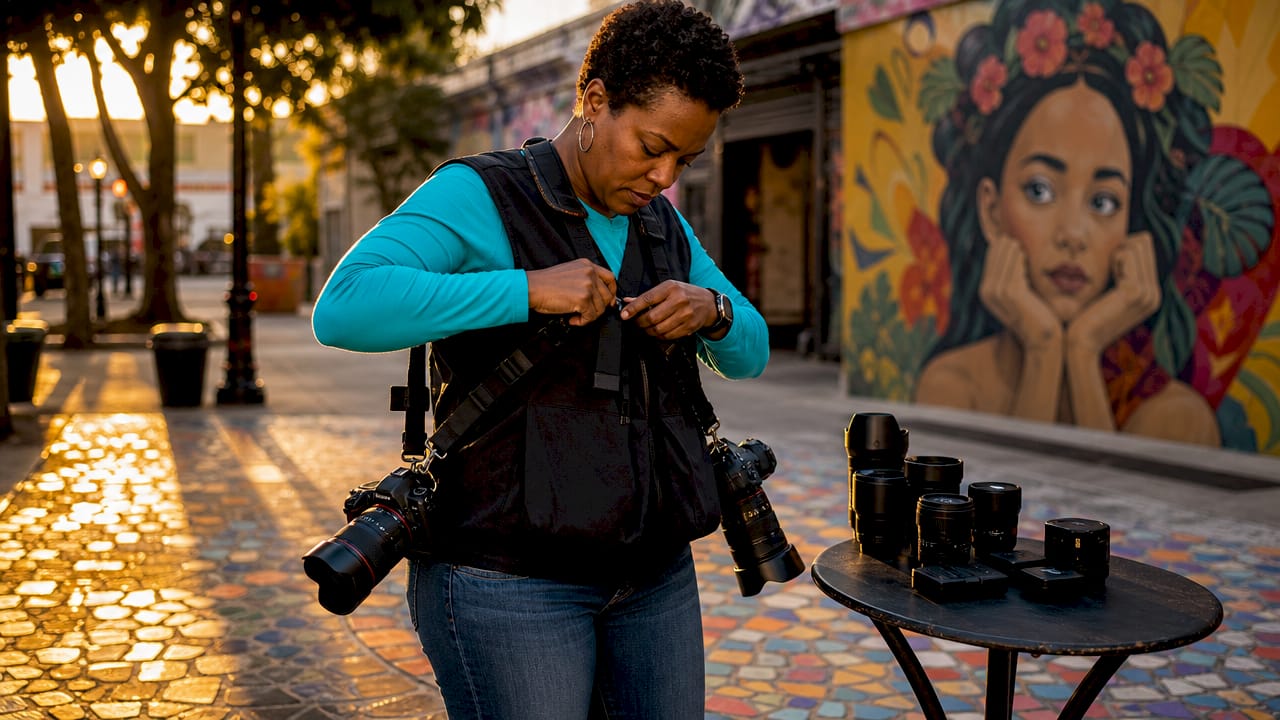
Photographer adjusting camera gear at a table beside a mural in a sunlit street scene

Event photography equipment essentials are the specific tools that let you capture sharp, well-exposed images reliably in fast-paced, often low-light conditions. Professional event work demands more than a single camera and a kit lens. Redundancy, speed, and dependable lighting separate photographers who deliver every time from those who miss critical moments. This guide covers every gear category you need, from camera bodies and lenses to memory management and accessories, so you can build a kit that holds up under real event pressure.

1. What are the critical camera bodies and lenses for event photography?

Your camera body is the foundation of your entire kit. Bringing two camera bodies is non-negotiable for professional event work because events are unrepeatable. No client will accept a missed first dance or keynote speech because your single body failed.

Full-frame mirrorless and DSLR bodies lead the field for event work. They handle high ISO noise better than crop-sensor bodies, which matters when you are shooting a dimly lit ballroom or an outdoor evening reception. Fast autofocus with eye and face detection is the feature that separates modern event bodies from older models. That technology keeps moving subjects sharp without manual focus adjustments.

For lenses, the professional standard is a three-lens system:

  • 24–70mm f/2.8 zoom: Your workhorse for group shots, speeches, and wide room coverage
  • 70–200mm f/2.8 telephoto zoom: Pulls in candid moments from across the room without disturbing guests
  • 35mm or 50mm f/1.4–f/1.8 prime: Your low-light specialist for receptions, dinners, and tight spaces

The recommended lens trio of a 24–70mm, 70–200mm, and a fast prime covers virtually every event scenario. Fast f/2.8 apertures let in twice the light of f/4 lenses. That difference is significant when you are shooting at ISO 3200 in a venue with mixed tungsten and LED lighting.

Pro Tip: Use a dual-camera harness or a BlackRapid dual strap system to carry both bodies simultaneously. You can switch between a wide zoom and a telephoto in under two seconds without setting anything down.

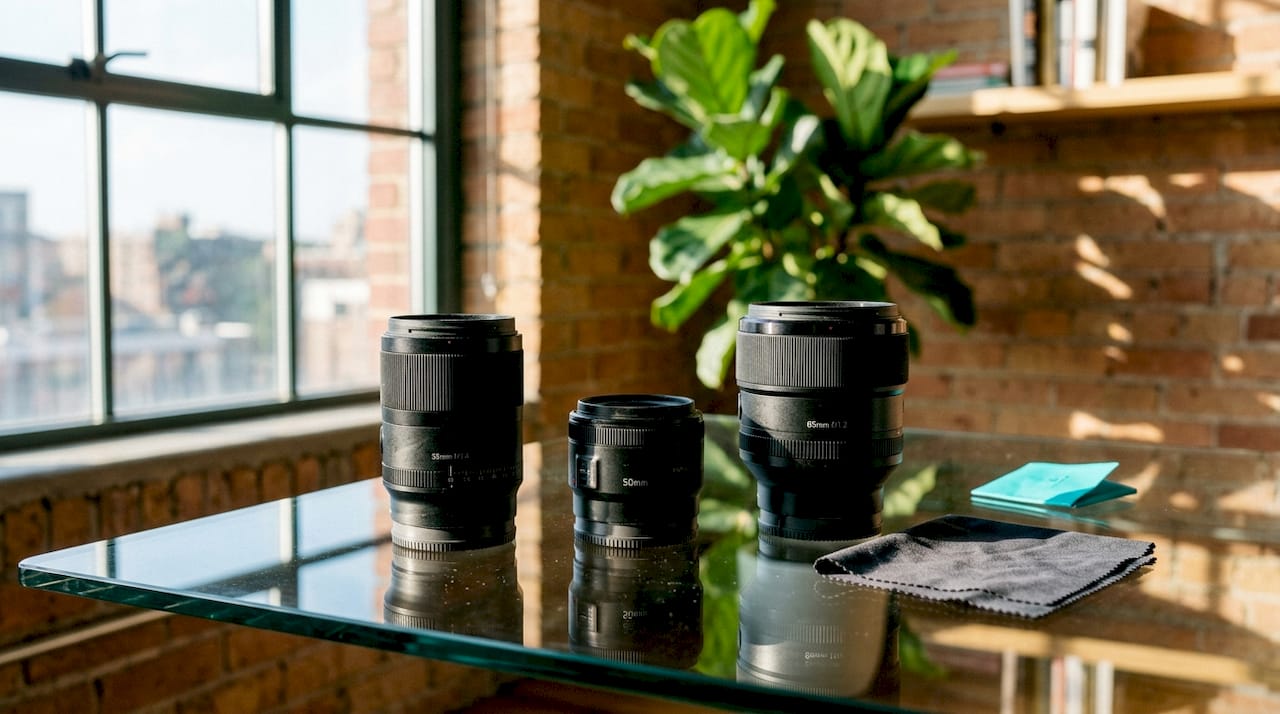
Camera lenses on a glass table by a sunlit window, with a plant and brick wall in the background

2. Which lighting tools and flash accessories are essential for event lighting?

Lighting is where many aspiring photographers underinvest. A single on-camera speedlight with a bounce card or small diffuser is the core of any event lighting kit. On-camera speedlights with modifiers prevent the harsh shadows that direct flash creates. That one modifier changes the quality of your light from flat and clinical to soft and directional.

TTL (Through The Lens) flash metering is the standard for event work. TTL reads the scene and adjusts flash output automatically, which keeps your exposure consistent as you move between a dark hallway and a brightly lit stage. Manual flash is more controlled but too slow for fast-moving events.

Your lighting kit should include:

  • Two speedlights: One on camera, one as backup or off-camera fill
  • Bounce cards and small diffusers: MagMod, Rogue FlashBender, or similar compact modifiers
  • Color correction gels: CTO (orange) gels match tungsten ambient light; green gels correct for fluorescent ceilings
  • Extra batteries for flash units: Speedlights drain AA batteries fast under continuous use

Bounce flash off a white ceiling transforms harsh direct flash into natural, directional light in seconds. Aim your speedlight at a 45-degree angle toward the ceiling behind you. The light wraps around subjects rather than blasting them head-on.

White balance is the overlooked variable in mixed-light venues. Shooting in RAW gives you full control in post, but gels let you match your flash to the ambient color temperature on site. That saves significant editing time when you have 1,500 images to process.

Pro Tip: Keep a MagMod MagSphere or a Rogue FlashBender in your jacket pocket. These compact modifiers attach in seconds and work in venues where ceiling bounce is not possible, like outdoor tents or rooms with dark ceilings.

3. How to implement robust memory and power management during events

Memory and power failures are the two most preventable causes of event photography disasters. Dual card slot simultaneous recording writes every image to two cards the moment the shutter fires. That is safer than overflow backup, which only starts writing to the second card after the first fills up.

Carrying at least four high-speed memory cards with capacity for 1,500 to 2,000 images each is the practical standard for long events. A four-hour wedding reception with two shooters can generate over 3,000 files. Running out of storage mid-event is not a technical problem. It is a professional failure.

The 3-2-1 backup strategy is the industry standard for protecting event images after the shoot. Keep three copies of your files on two different media types, with one copy stored offsite. That protects against card failure, theft, and hardware damage simultaneously.

Backup layer Media type Location
Copy 1 Memory card (original) Camera bag
Copy 2 Laptop or portable SSD On-site or hotel
Copy 3 Cloud storage or external drive Offsite or remote

Format cards before the event, not during, and never reformat until images are fully backed up. That single habit prevents accidental data loss from interrupted formatting.

For power, carry at least three fully charged batteries per camera body. Rotate batteries systematically rather than waiting for a low-battery warning. A dead battery during a first dance is avoidable with a simple rotation schedule.

Pro Tip: Label your memory cards with a marker or colored stickers. Designate one color for “shot, not backed up” and another for “backed up and safe to format.” This system eliminates confusion when you are tired after a six-hour event.

4. What are the essential accessories and support gear for event shooting?

The right accessories reduce fatigue and keep your attention on shooting rather than managing gear. Your camera bag is the first decision. A weather-resistant backpack with quick-access side panels, like the Think Tank Photo or Lowepro ProTactic series, lets you grab a lens without removing the bag. That matters when you are moving between a ceremony and a reception in under five minutes.

Dual-camera straps and harnesses distribute weight across both shoulders. A single-shoulder strap with two bodies causes neck and back strain within two hours. A harness system keeps both cameras accessible and balanced throughout a full-day event.

Your cleaning and protection kit should include:

  • Lens cloths and a rocket blower: Remove dust and smudges between shots without scratching glass
  • Lens hoods: Reduce flare in backlit outdoor scenes and protect front elements from accidental contact
  • Rain covers: Protect bodies and lenses during outdoor events; a simple plastic cover from a camera store works in a pinch
  • Gaffer tape: Fixes loose cables, marks floor positions, and handles a dozen unexpected problems on site

A monopod is more practical than a tripod for most events. It provides stability for telephoto shots during long ceremonies without blocking aisles or requiring setup time. Tripods work well for fixed-position video or photo booth setups but are too slow for documentary-style event coverage.

Understanding the exposure triangle is what ties all this gear together. The best equipment in the world does not help if you cannot set aperture, shutter speed, and ISO correctly under changing event conditions. Accessories support your shooting. Technique drives your results.

Key Takeaways

Reliable, redundant gear is the foundation of professional event photography. The best kit combines fast lenses, dual camera bodies, TTL lighting, and a disciplined backup system.

Point Details
Two camera bodies minimum Events cannot be reshot; a backup body prevents total job failure.
Three-lens system A 24–70mm, 70–200mm, and a fast prime cover every event scenario.
Dual card simultaneous recording Writing to two cards at once protects every image the moment it is captured.
3-2-1 backup strategy Three copies on two media types with one offsite copy prevents permanent data loss.
Accessories reduce fatigue Harnesses, weather covers, and cleaning kits keep you focused on shooting, not gear problems.

What I have learned about building a reliable event kit

After years of shooting events across Phoenix and beyond, the lesson that sticks with me most is this: familiarity with your gear matters more than the gear itself. Photographers who know their kit cold make faster decisions under pressure. Photographers chasing the latest body release often fumble with unfamiliar menus at the worst moments.

Reliability over megapixels is the principle I come back to every time I evaluate new equipment. A camera that autofocuses accurately in low light and writes to dual cards is worth more to a working event photographer than a higher-resolution sensor that struggles in dim venues. Clients do not ask about your megapixel count. They ask if you got the shot.

The other thing I tell every photographer starting out: build your kit gradually and invest in lenses before bodies. A fast 35mm f/1.8 prime on a mid-range body outperforms a kit zoom on an expensive body in a dark reception hall. Lenses hold their value and transfer between systems. Bodies become outdated.

Redundancy reduces stress in a way that no single piece of gear can. When you know you have a backup body, a second set of cards, and a charged flash in your bag, you shoot with confidence instead of anxiety. That confidence shows in your images. Clients feel it too.

The corporate event photo checklist Jf put together is a practical starting point for any photographer building out their gear list for professional bookings. Use it as a baseline and adapt it to your specific event specialties over time.

— Justin

JfPhotos’ event photography services and resources

JFPhotos has spent over a decade photographing events across Phoenix, AZ, building a kit and a workflow that delivers consistent results in every venue and lighting condition.

JP Photos homepage with fireworks over a concert crowd and a black-and-white portrait inset

Whether you are looking for professional Phoenix event photography coverage or want to sharpen your own skills, JFPhotos offers both. The website includes educational resources on camera settings, gear selection, and event coverage planning that help photographers at every level make better decisions before they walk into a venue. If you are ready to see what a fully equipped, experienced photographer delivers, reach out to us at jf.photos to discuss your next event.

FAQ

What cameras are best for event photography?

Full-frame mirrorless and DSLR bodies with fast autofocus and dual card slots are the top choice for event work. Eye and face detection autofocus is a critical feature for capturing moving subjects in low light.

How many lenses do I need for event photography?

Three lenses cover most events: a 24–70mm f/2.8 zoom, a 70–200mm f/2.8 telephoto, and a fast prime like a 35mm or 50mm f/1.8. This combination handles wide group shots, candid moments from a distance, and low-light reception coverage.

What is the best backup strategy for event photos?

The 3-2-1 strategy is the professional standard: three copies of your files on two different media types, with one copy stored offsite. Dual card simultaneous recording in-camera is the first line of defense during the shoot itself.

Do I need a flash for event photography?

A TTL speedlight with a bounce card or small diffuser is a core part of any event photography gear checklist. Bounce flash off a white ceiling produces soft, natural-looking light that direct flash cannot replicate.

How do I avoid running out of memory during a long event?

Carry at least four high-speed memory cards with capacity for 1,500 to 2,000 images each. Format all cards before the event, and never reformat until every image is fully backed up to at least two locations.

Recommended

Recent Posts

By Justin Frazier August 18, 2026
Looking for professional passport photos in Phoenix? Discover local photographers with years of experience and fast delivery options.
By Justin Frazier August 17, 2026
Explore the stunning landscapes of Arizona photography. Discover top locations, essential permit rules, and local groups to enhance your experience.
By Justin Frazier August 16, 2026
Unlock stunning outdoor family photography with our expert tips on lighting, location, and planning for memorable moments.
By Justin Frazier August 15, 2026
Discover effective tips for organizing extended family photo sessions. Ensure smooth, memorable moments with our quick-start checklist and expert advice.
By Justin Frazier August 14, 2026
Capture your child's growth with age milestone photography. Learn simple ideas to create a beautiful and cohesive photo series.
By Justin Frazier August 13, 2026
Capture stunning bridal session photos that showcase your beauty before the big day. Plan your perfect pre-wedding shoot today!
By Justin Frazier August 12, 2026
Prepare your team for headshot day with a concise email checklist that ensures a smooth, successful photo session. Discover essential tips!
By Justin Frazier August 11, 2026
Discover how a photography contingency plan safeguards events with backup equipment, personnel, insurance, and data protection for seamless coverage.
By Justin Frazier August 10, 2026
Discover how thoughtful photo composition enhances portraits, guiding the viewer's eye to reveal stories through your subjects.
By Justin Frazier August 9, 2026
Learn what a photography usage license is and why understanding its scope, duration, and exclusivity is crucial for legitimate image use.
Show More