Corporate Headshot Retouching Explained for Professionals
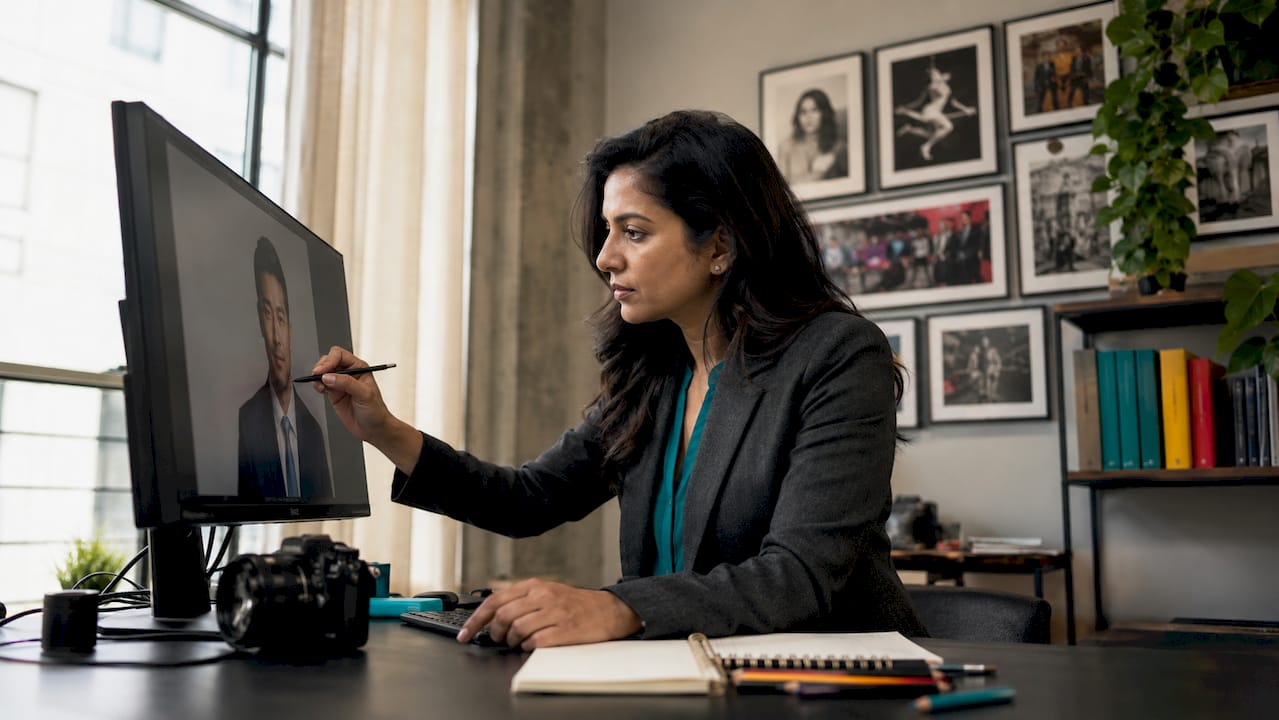
Corporate headshot retouching is the process of editing a professional portrait to improve appearance without altering identity. Known in the industry as professional portrait retouching, it covers everything from removing a temporary blemish to evening out skin tone under studio lights. Tools like Adobe Photoshop and Lightroom are the standard, and ethical guidelines define exactly how far an editor should go. With pricing tiers ranging from basic to advanced, understanding what you are paying for protects your personal brand. This guide covers corporate headshot retouching explained in full, from accepted techniques to red flags, so you can make confident decisions about your professional image.
What does ethical corporate headshot retouching involve?
Ethical retouching produces a photo that looks like you on your best day. It does not produce a photo that looks like a different person. The best retouching is largely invisible to anyone viewing the image. That standard is the foundation of professional headshot retouching.
Accepted edits in professional retouching
Industry-standard retouching includes a defined set of corrections:
- Blemish removal: Temporary pimples, redness, or minor skin irritation are removed. Permanent features like moles or birthmarks stay unless the client requests otherwise.
- Stray hair cleanup: Flyaway hairs that distract from the face are removed. The overall hairstyle remains unchanged.
- Skin tone evening: Uneven lighting or mild redness is corrected. The goal is consistency, not a new complexion.
- Under-eye shadow reduction: Industry standards call for reducing under-eye shadows by roughly 30–50%, not eliminating them entirely.
- Teeth and eye brightening: Subtle brightening that looks natural in print and on screen. Overwhitening reads as artificial immediately.
What crosses the ethical line
Altering facial structure or removing permanent skin texture is unethical and creates a trust gap in client-facing roles. Removing all wrinkles, reshaping a jawline, or applying heavy skin smoothing that destroys pore detail are all out of bounds. The practical test is straightforward: if a colleague who knows you well would not recognize you from the photo, the retouching has gone too far.
Pro Tip: Print your retouched headshot and compare it to a recent candid photo. If the skin texture looks noticeably different between the two, ask your retoucher to dial back the smoothing.
What techniques and tools do professional retouchers use?
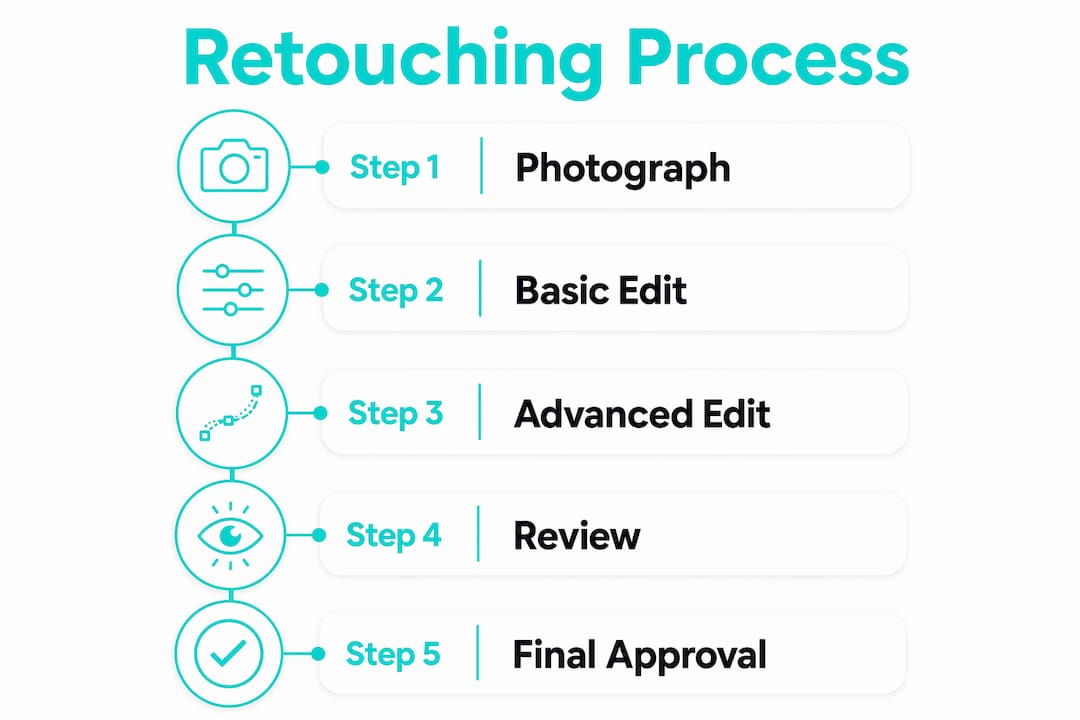
Professional retouchers follow a structured workflow. Each step builds on the last, and every edit is made non-destructively so the original image is never permanently changed.
The standard retouching workflow
- Global color balance: Correct white balance and exposure across the full image first. This sets a neutral foundation before any skin work begins.
- Blemish removal: Use the healing brush or clone stamp in Adobe Photoshop on a separate layer. Working on a separate layer means any mistake can be deleted without affecting the original.
- Frequency Separation: This technique separates the color and texture layers of the skin. The color layer is smoothed to even tone, while the texture layer stays at full opacity to preserve pores and fine lines. It is the most reliable method for natural-looking skin work.
- Dodge and burn: A good retoucher uses soft brushes at around 30% hardness and 10% flow on a separate 50% gray layer. This method softens wrinkles without erasing them, preserving the character lines that make a face recognizable.
- Final review at 100% zoom: Zooming to 100% to inspect pores confirms that skin texture is intact before the file is exported.
Software used in professional retouching
Adobe Photoshop remains the primary tool for detailed skin work because of its layer-based editing and precise brush controls. Adobe Lightroom handles global color correction and exposure adjustments efficiently. AI-assisted retouching tools are increasingly common, but AI tools vary in quality. The better ones balance smoothing with realistic texture preservation. The weaker ones apply uniform skin blurring that removes all micro-contrast and makes skin look plastic. A skilled retoucher uses AI tools selectively, not as a one-click solution.
Pro Tip: Always ask your retoucher to preserve skin texture and permanent features. Request a before-and-after comparison at 100% zoom to confirm pore detail is still visible in the final file.
What does corporate headshot retouching cost in 2026?
Professional headshot retouching pricing in 2026 falls into three clear tiers. Knowing what each tier includes helps you match your budget to your actual needs.
| Tier | Price range | What is included | Best for |
|---|---|---|---|
| Basic | $15–$30 | Blemish removal, minor color correction | LinkedIn profiles, internal directories |
| Standard | $25–$50 | All basic edits plus skin tone evening, stray hair cleanup, eye and teeth brightening | Client-facing roles, speaker bios |
| Advanced | $50–$100+ | Full workflow including Frequency Separation, dodge and burn, background cleanup | Executive portraits, press kits, media use |
Turnaround time for quality ethical retouching requires a few business days. Faster delivery often means automated processing, which increases the risk of over-smoothing. Three factors drive price above the base rate: image complexity, the volume of photos being retouched, and the retoucher’s level of experience. A retoucher with a strong portfolio of executive headshots will charge more than a generalist, and the difference shows in the final result.
For professionals in client-facing roles, the standard tier is the right starting point. Advanced retouching is worth the investment when the photo will appear in press coverage, a company website, or a speaker profile. You can review corporate photography cost benchmarks to understand how retouching fits into the overall session budget.
How do you choose the right retoucher for your headshot?
Choosing a retoucher comes down to portfolio review and clear communication. Both steps are non-negotiable before you commit to a service.
What to look for in a portfolio
- Natural skin texture: Zoom into the skin in portfolio samples. Visible pores and fine lines are a good sign. Plastic, blurred skin is a red flag.
- Consistent color: Skin tones should look even without appearing artificially altered. Watch for orange or gray color casts that signal poor correction.
- Recognizable subjects: The person in the retouched photo should clearly match any unretouched reference images available. If the retoucher has before-and-after samples, compare them carefully.
- Background consistency: Clean, even backgrounds without visible halos around the hair indicate careful, detail-oriented work.
Red flags to avoid
Overly airbrushed skin, unnaturally bright eyes, and reshaped facial features are all signs that a retoucher prioritizes dramatic transformation over authenticity. Over-retouching causes an immediate trust gap in client-facing roles when the photo no longer resembles the actual person. That gap damages credibility at exactly the moment a headshot is supposed to build it.
How to communicate your preferences
Send your retoucher reference images of headshots you admire. Describe specific concerns, such as a temporary skin condition or uneven lighting from the shoot. State clearly which features you consider permanent and do not want altered. Understanding retouching guidelines for headshots before your first conversation with a retoucher makes that conversation far more productive.
Pro Tip: Request a sample edit on one image before approving a full batch. A reputable retoucher will offer this without hesitation. It protects both parties and sets clear expectations before the full project begins.
For additional guidance on preparing for your session, a headshot photography brief helps you communicate your goals to both the photographer and the retoucher from the start. Career development resources like Cornerstone’s resume and interview tips also reinforce how much professional presentation, including your headshot, affects first impressions.
Key Takeaways
Ethical corporate headshot retouching enhances your professional image by removing temporary imperfections while preserving natural skin texture, character lines, and the recognizable features that build trust in client-facing roles.
| Point | Details |
|---|---|
| Ethical boundaries matter | Remove blemishes and even skin tone, but never alter facial structure or erase permanent texture. |
| Frequency Separation is the gold standard | This technique corrects color without destroying skin pores, producing natural-looking results. |
| Pricing reflects quality | Standard retouching ($25–$50) covers most professional needs; advanced work ($50–$100+) suits press and executive use. |
| Portfolio review is non-negotiable | Check for visible skin texture and recognizable subjects before hiring any retoucher. |
| Request a sample edit first | One test image before a full batch confirms the retoucher understands your expectations. |
Why subtlety is the only standard worth holding
I have seen professionals walk into a client meeting and watch the other person glance at their business card photo, then back at them, with a visible moment of confusion. That confusion is the direct result of over-retouching. It does not just feel awkward. It signals that the person is not fully comfortable presenting themselves as they are, which is the opposite of the confidence a strong headshot is supposed to project.
The misconception I hear most often is that more retouching equals a better photo. The reality is the opposite. Retouching closes the gap between a good photo and a great one without changing who you are. The goal is a photo that makes you look like yourself after a good night’s sleep, not a photo that makes you look like a stock image model.
Permanent features, including laugh lines, strong brows, and distinctive facial structure, are what make a face memorable. Removing them does not make you look younger. It makes you look generic. The professionals whose headshots I find most effective are the ones who trusted the process enough to leave their character intact. That is the standard worth holding.
— Justin
Get a professional headshot that works as hard as you do
At JFPhotos, we approach every corporate portrait session with the same commitment: deliver a photo that represents you accurately and professionally. Our editing process follows industry-standard retouching guidelines, preserving skin texture and natural features while removing the distractions that pull attention away from your face.
We serve professionals and businesses across Phoenix, AZ, with quick turnaround times and editing that meets the standard your brand deserves. Whether you need a single executive portrait or headshots for an entire team, our Phoenix portrait photography services are built around your goals. Ready to get started? Visit JFPhotos to book your session or ask about our corporate photography packages.
FAQ
What is corporate headshot retouching?
Corporate headshot retouching is the process of editing a professional portrait to remove temporary imperfections and even skin tone while preserving natural features and skin texture. The goal is a polished image that still looks exactly like the subject.
How much does professional headshot retouching cost?
Pricing in 2026 ranges from $15–$30 for basic edits to $50–$100 or more for advanced retouching that includes Frequency Separation and dodge and burn techniques. Standard retouching at $25–$50 covers most professional needs.
What edits are considered unethical in headshot retouching?
Altering facial structure, removing all wrinkles, applying heavy skin smoothing that destroys pore detail, and reshaping features are all considered unethical. These edits create a trust gap when the photo no longer resembles the actual person.
How do I know if my headshot has been over-retouched?
If colleagues who know you well would not recognize you from the photo, the retouching is excessive. Zoom into the skin at 100% in the final file. If pores and fine lines are no longer visible, the smoothing has gone too far.
How long does professional headshot retouching take?
Quality ethical retouching requires a few business days. Faster turnaround often relies on automated processing, which increases the risk of over-smoothing and unnatural results.
Recommended
Recent Posts